

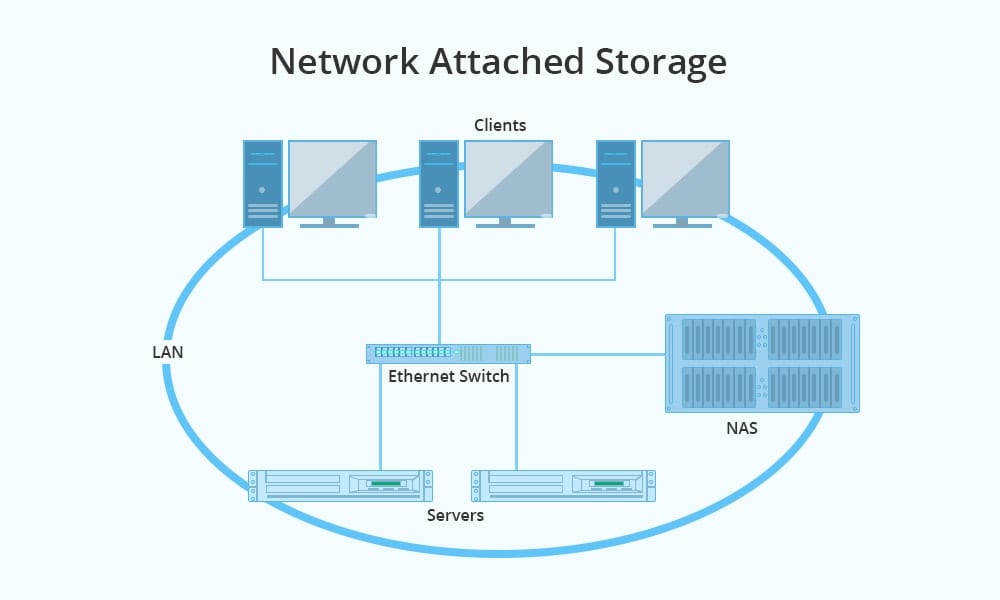
Storage consumption has been growing steadily since the first PC appeared today. The popularization of the cloud has dampened this growth by moving much of the enterprise data to shared spaces, but even so, storage needs continue to grow.
A NETWORK ATTACHED STORAGE (NAS) server is a mass storage device attached to your local network. As its name indicates, it is really a server, in this case, oriented towards managing large volumes of storage and making it available to any user connected to the network and authorized to use it.
What problems does a NETWORK ATTACHED STORAGE solve?
A NAS, Network Attached Storage, is a device that provides us with
- Backup system.
- File sharing.
- Private VPN creation.
- Media center.
- FTP server.
- Server virtualization.
Backups:
The safeguarding of information continues to be a pending point for many small and medium-sized companies and for individuals who are increasingly seeing the number of devices in the family home grow.
A NETWORK ATTACHED STORAGE server will help you schedule backups, automatically tracking the outcome of the process for your safety.
And if you want even more security, you can configure your NAS with mirroring or RAID systems, which will automatically recover in case of errors.
File Sharing:
The concept of a server connected to the network makes information accessible from any point on the network. Its configuration and management are much simpler than that presented by Operating Systems such as Windows Server or Linux systems.
Media Center:
Another possible application, always depending on the software that accompanies the NAS, is to behave as a streaming server. In this way, it will allow us to play music or videos on our devices, which will save us from downloading files to our remote computers.
Private VPN Creation:
Using a VPN can be useful in certain circumstances as a method of ensuring the privacy of data sharing. For example, when we want to give access to our data to agents outside our company or our home.
FTP Server:
Configuring our NAS to perform FTP server tasks is another secure way to share data, although it may require more technical knowledge.
Server Virtualization:
In this case, we are already talking about professional equipment with very advanced features: 6Gb systems. or 8Gb. of expandable RAM memory, they will be able to virtualize Windows and Linux operating systems. In this way, we can have servers available 24 hours a day.
Advantages of NETWORK ATTACHED STORAGE Deployment:
Logically, resorting to shared network storage should offer us some advantages over storage located on a network server. Some of them are:
- Once configured, system management can be performed by any advanced user.
- Storage cost is lower.
- Private use and security in data access.
- System reliability.
- Possibility of scheduling backups.
How a NETWORK ATTACHED STORAGE works:
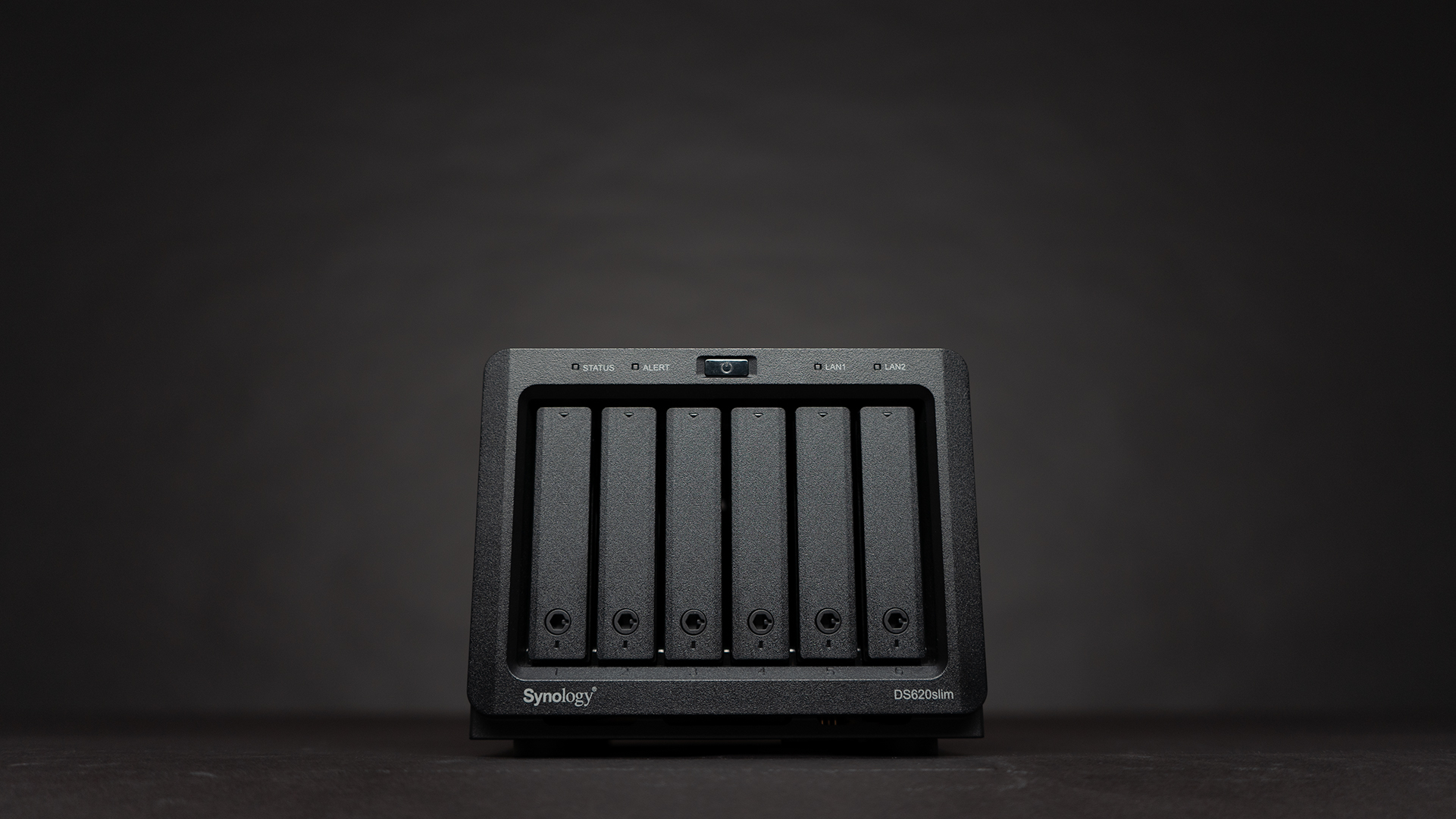
As we have mentioned, a NAS is a device that, in all cases, will have internal hardware (including a processor and memory), its own operating system, and connection ports.
All NAS systems are designed to work 24 hours a day. continuously.
From here, the NAS is classified according to
- Size. From small network attached storage for home use, with one or two drives, to large racks for inserting dozens of drives for business storage.
- Here, too, there are big differences, depending on the quality and complexity of the hardware used, the disks that support the system, and the operating system with which it operates. As in almost everything, the specialization of the brands is a guarantee of quality.
- Either by size or by brand, certain network attached storage will focus on ease of use while others will gain in sophistication, including complex functionalities that even allow the possibility of incorporating third-party apps.
How to choose a NETWORK ATTACHED STORAGE:
Just as you check the specifications when you go to buy a computer, you should know what you are going to need and what features the models you evaluate to offer you.
Performance. At this point, we must take into account the amount of memory available in the NAS according to the use that we are going to give it. Basic functionality, such as accessing a file or copying data, will not require more than the memory included in the model (usually 1 GB).
However, the use of advanced features such as streaming or VPN will require more memory (2 Gb).
Another fundamental aspect of system performance is that of the disks themselves. In general, SSD drives are not used since, being on the network, the difference compared to conventional technology is not appreciable.
If the system you are going to buy does not already include disks, you should study which ones are the most appropriate according to performance and cost.
If the NAS is for business use, it will be necessary for an expert to carry out a study to find out the necessary characteristics according to functionality, traffic, number of users, file size, etc…
Ability to grow. Let’s remember that we are talking about a device intended for storage and we already know that “data grows until it occupies as much space as possible”. We must evaluate the needs that we will have in the future, according to the time in which we want to amortize them.
Each space that the server has can be occupied by a disk whose capacity usually starts at 1 TB. reaching up to 32 Tb. and beyond.
The increase in the number of disks may require, in turn, an increase in memory and the growth of the processor.
Features included. It is essential that you study well the software that comes with the network attached storage server. You can find very simple software, aimed at home users and small businesses, up to complex software and the possibility of incorporating third-party software, such as Plex.
