

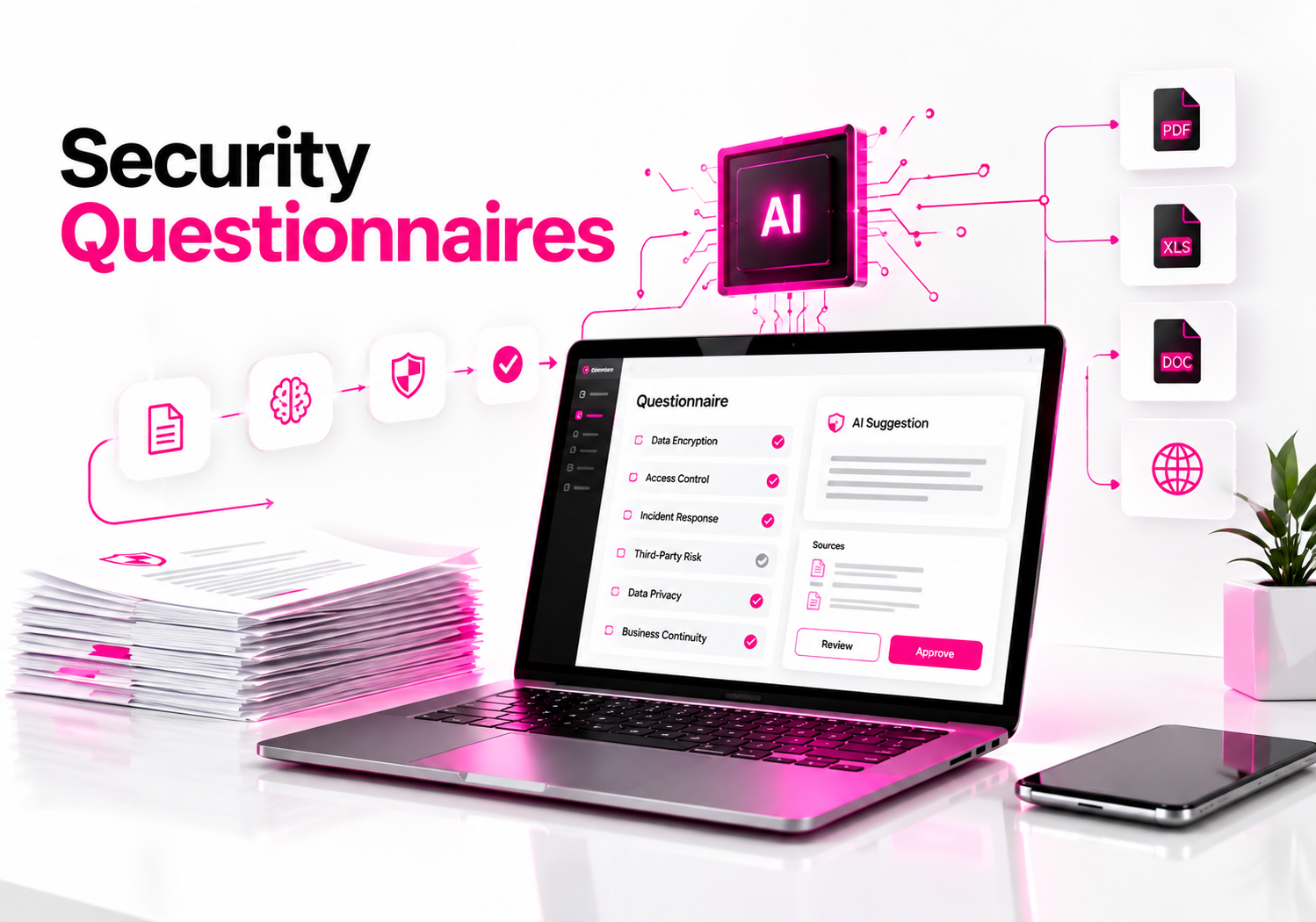
The strongest AI tools for automating security questionnaires are Conveyor, Vanta, HyperComply, Whistic, Loopio, and Responsive. The right choice depends on whether you need dedicated questionnaire automation, compliance integration, trust-center self-service, vendor-risk workflows, or enterprise response management. For security teams, the deciding factor should be source-backed answers with human approval, not simply how fast an AI fills a spreadsheet.
Security questionnaires have become a recurring operational burden for SaaS and technology companies. The same questions about encryption, MFA, vulnerability management, incident response, data retention, subprocessors, and compliance can appear across dozens of customer assessments.
AI can remove much of the repetitive work, but it introduces another security question: where did the answer come from? A plausible AI-generated answer is not good enough when a customer is asking about a real security control. NIST’s AI Risk Management Framework specifically calls for organizations to address risks from third-party software, data, and AI technologies throughout the AI lifecycle.
What should you look for in an AI security questionnaire tool?
The most important features are a governed answer library, source citations, human review, questionnaire-format support, permissions, auditability, and controls around sensitive information.
A useful questionnaire platform should not simply generate text. It should be able to connect each answer to approved security documentation, identify uncertain answers, route questions to subject-matter experts, and preserve an audit trail.
| Capability | Why it matters | What to test |
|---|---|---|
| Source-backed AI | Reduces unsupported answers | Citation for each response |
| Human review | Security claims need accountability | Approval and SME routing |
| Format coverage | Questionnaires arrive in many forms | Excel, Word, PDF, portals |
| Knowledge management | Old answers become dangerous | Review dates and ownership |
| Access controls | Questionnaires contain sensitive information | RBAC, SSO, audit logs |
NIST’s AI RMF says organizations should have policies and procedures addressing AI risks from third-party entities and should identify and document controls for third-party AI technologies. That principle applies directly when selecting an AI platform that will process internal policies, penetration-test information, architecture details, or customer security questionnaires.
Which AI tools are worth evaluating for security questionnaire automation?
There is no meaningful universal winner because these products target different workflows. Conveyor and HyperComply are particularly focused on customer security reviews, Vanta connects questionnaire automation to a broader GRC platform, Whistic combines trust-center and vendor-risk capabilities, while Loopio and Responsive are strong options for organizations that manage questionnaires alongside broader response operations.
| Tool | Strong fit | Key capability |
|---|---|---|
| Conveyor | High-volume customer security reviews | AI questionnaire automation + Trust Center |
| Vanta | GRC and compliance teams | AI answers tied to security knowledge |
| HyperComply | Security teams wanting AI + review | Questionnaire automation + human review |
| Whistic | TPRM and Trust Center workflows | AI answers with citations and confidence |
| Loopio | Enterprise response teams | Governed answer library + portal support |
| Responsive | Large response operations | AI drafting, collaboration, and workflow |
These are not interchangeable products. A company already using Vanta may get more value from extending its existing security knowledge base than deploying another standalone questionnaire system.
Likewise, an organization with a large sales-response operation may care more about integrations, workflow routing, and portal support than about having the most AI-centric interface.
Is Conveyor a good AI tool for security questionnaires?
Conveyor is designed specifically around customer trust and security-review workflows, making it a strong candidate for teams that receive frequent security questionnaires. Its current platform supports questionnaire intake, AI-generated responses, citations, knowledge management, portal automation, and a Trust Center.
Conveyor’s documentation says its AI draws from curated content and can automate questionnaire workflows. Its product documentation also describes a browser extension for portal-based questionnaires and an AI knowledge-management system designed to keep the answer library current.
The important feature here is not simply AI generation. Conveyor emphasizes maintaining a governed knowledge base so the system has approved material to use when producing answers.
That makes it worth evaluating when the problem is no longer “How do I answer this questionnaire?” but “How do I manage hundreds of recurring security answers without creating contradictory responses?”
Is Vanta good for automating security questionnaires?
Vanta is particularly useful when questionnaire automation needs to connect directly to an existing compliance and GRC program. Its Questionnaire Automation product uses a knowledge base containing security documentation and previous questionnaire responses, then generates answers for review.
Vanta supports questionnaires delivered through spreadsheets, documents, and third-party portals. Its workflow also includes permissions, collaboration, and approval features.
That integration can be valuable because questionnaire answers should reflect the organization’s actual controls. If your compliance platform already contains policies, evidence, frameworks, and control information, keeping the questionnaire workflow in the same ecosystem can reduce duplicated knowledge management.
Vanta’s published performance figures are vendor-reported and depend on the information available in the customer’s knowledge base, so they should not be treated as guaranteed accuracy for every organization.
Is HyperComply good for security questionnaire automation?
HyperComply is a strong option for organizations that want AI-assisted questionnaire completion with a human review component. Its platform combines questionnaire automation with a Trust Page for proactively sharing security information with customers.
HyperComply says its system can process questionnaires from files and web portals and uses AI plus human review for responses.
That human-review model is useful for security teams because some questions are too specific to answer safely from historical data. For example, a customer might ask whether a particular production environment uses a specific control that was implemented after your previous questionnaire was completed.
An AI system should flag that question for verification rather than confidently reusing an old answer.
What makes Whistic different?
Whistic is particularly relevant when questionnaire automation is part of a broader third-party risk and Trust Center strategy. Its AI features can use security documents, certifications, previous questionnaires, and other knowledge-base content to generate responses with citations, rationale, and confidence information.
That evidence-oriented approach is valuable because it lets a reviewer inspect why an answer was generated.
Whistic also operates a Trust Center and vendor-risk ecosystem, so it can fit organizations that both respond to customer assessments and assess their own vendors.
This distinction matters for companies with mature third-party risk programs. If your team spends significant time reviewing vendors as well as answering customer questionnaires, a broader risk-management platform may make more sense than a questionnaire-only product.
When should you choose Loopio?
Loopio makes the most sense for organizations where security questionnaires are part of a larger RFP, proposal, and response-management process. Its security questionnaire workflow uses a centralized answer library, AI-assisted responses, SME assignments, and support for formats such as Excel, PDF, and web portals.
The biggest advantage is governance.
Security answers often contain statements that have been approved by security, legal, compliance, or engineering teams. A response platform should preserve those approved answers instead of allowing an AI model to rewrite every response from scratch.
Loopio also supports workflows for assigning questions to subject-matter experts, which becomes important when questionnaires contain questions about architecture, encryption, data residency, incident response, or product-specific controls.
When does Responsive make sense?
Responsive is worth evaluating when security questionnaires sit inside a larger enterprise response operation. Its security questionnaire offering combines centralized security content, AI drafting, review workflows, and Trust Center capabilities.
This can be useful for organizations that handle vendor security questionnaires alongside RFPs, due-diligence questionnaires, and other structured customer requests.
The key question is whether you need a dedicated security-review tool or a broader response-management platform.
If security questionnaires represent only one part of a large proposal operation, broader workflow capabilities can matter more than having a specialized security-only interface.
How should you compare AI questionnaire automation tools?
Don’t judge the products using a demo questionnaire supplied by the vendor. Use a representative test set containing easy questions, ambiguous questions, outdated answers, product-specific questions, and questions that require evidence.
A practical evaluation should include at least 25–50 questions from your real workflow.
Test questions such as:
- Do you encrypt customer data at rest?
- Which encryption algorithms do you use?
- Is MFA mandatory for privileged users?
- How often do you perform penetration testing?
- Where is customer data stored?
- Do you use subprocessors?
- What is your incident-notification period?
- Do you use customer data to train AI models?
- How long are security logs retained?
- Does your disaster-recovery plan include this specific service?
Then deliberately include questions for which your knowledge base has no valid answer.
That test is critical.
A trustworthy questionnaire system should distinguish between:
“We have approved evidence for this.”
and:
“I found something that looks similar.”
The second situation should trigger human review.
How do you safely use AI for security questionnaires?
The safest workflow is retrieve approved information → generate a draft → show the source → review → approve → export.
1. Build an approved answer library
Start with previous questionnaires, security policies, certifications, audit reports, architecture documentation, and approved responses.
Do not simply dump every internal document into an AI knowledge base.
Separate authoritative information from drafts, obsolete policies, old questionnaire responses, and informal notes.
2. Assign owners to sensitive answers
Questions about encryption, authentication, incident response, data retention, privacy, and infrastructure should have identifiable owners.
When the answer changes, the owner should be responsible for updating the authoritative source.
3. Require citations
Every important security claim should have an evidence trail.
For example:
Question: Do you encrypt customer data at rest?
Answer: Yes, customer data is encrypted at rest.
Evidence: Approved security architecture document, section X.
That is much safer than accepting an AI-generated “yes” without knowing where it came from.
4. Add human approval
Do not allow an AI agent to independently submit sensitive security answers simply because it has a high historical acceptance rate.
Human review should remain mandatory for high-risk questions, new questions, contradictory evidence, and claims involving contractual commitments.
5. Protect the questionnaire data itself
Security questionnaires can contain sensitive information about customers, systems, controls, vendors, and architecture.
OWASP’s GenAI Security Project identifies sensitive-information disclosure as a major LLM application risk. It also warns that prompt injection can manipulate model behavior and potentially cause unauthorized disclosure or actions.
Before uploading questionnaires or security documentation, check the provider’s data-processing terms, retention controls, access model, encryption, tenant isolation, and whether customer data is used for model training.
Can AI safely answer security questionnaires without human review?
For low-risk, repetitive questions, AI can dramatically reduce manual work, but fully autonomous submission should be treated cautiously. The problem is not just hallucination; a technically correct answer can still be wrong for a particular customer, product, environment, contract, or date.
Consider a simple example.
Your answer library says:
“MFA is required for administrative access.”
A customer asks:
“Is MFA enforced for all users, including contractors?”
Those statements are not equivalent.
An AI model may recognize the similarity and produce the first answer. A reviewer should recognize that the second question requires additional evidence.
This is why source citations, confidence indicators, answer ownership, and approval workflows matter more than raw completion speed.
What should a security team test before buying an AI questionnaire tool?
Use a structured procurement checklist rather than relying on a polished product demo.
Security
- SSO and MFA support
- Role-based access controls
- Encryption in transit and at rest
- Audit logs
- Tenant isolation
- Data retention controls
- Subprocessor transparency
- AI data-use policies
Accuracy
- Source citations
- Confidence indicators
- Exact-answer reuse
- Detection of unanswered questions
- Contradiction detection
- Human approval workflows
- Knowledge freshness controls
Workflow
- Excel support
- Word/PDF support
- Customer security portals
- Browser automation where appropriate
- Slack or Teams collaboration
- CRM and ticketing integrations
- SME assignments
Governance
- Answer ownership
- Review dates
- Version history
- Approval records
- Evidence mapping
- Exportable audit information
NIST’s Cybersecurity Supply Chain Risk Management guidance recommends due diligence and risk assessment for suppliers before acquisition decisions. Its AI RMF similarly calls for controls addressing third-party AI technologies and monitoring risks from third-party entities.
An AI questionnaire platform should therefore be evaluated as a security-sensitive SaaS vendor, not merely as a productivity application.
What is the biggest mistake companies make with AI questionnaire automation?
The biggest mistake is optimizing for answer speed instead of answer integrity.
A questionnaire completed in five minutes is not useful if three answers contain unsupported security claims.
The better goal is:
fast answers + approved evidence + clear ownership + human review when needed.
That changes how you evaluate vendors. Ask to see how the platform handles an unanswered question, conflicting documents, outdated answers, sensitive documents, and a question that requires an engineer’s judgment.
Those scenarios reveal much more than a polished demonstration of automatic spreadsheet completion.
Which AI security questionnaire tool should you choose?
The right choice depends on your existing workflow.
If questionnaire automation is the primary problem, evaluate Conveyor and HyperComply closely. If you already operate a broader GRC program, Vanta can connect questionnaire work with your existing compliance knowledge.
For organizations combining customer trust with third-party risk management, Whistic is worth examining. For large response organizations handling security questionnaires alongside RFPs and other proposals, Loopio or Responsive may fit better.
I would not select a tool based on a vendor’s advertised AI accuracy percentage alone. Build a representative test set, require source citations, deliberately include questions with missing evidence, and verify how the system handles sensitive information before signing a contract.
Frequently Asked Questions
What is the best AI tool for automating security questionnaires?
There is no single tool that fits every organization. Conveyor and HyperComply focus strongly on security-review workflows, Vanta connects questionnaire automation with GRC, Whistic combines customer trust and vendor-risk capabilities, while Loopio and Responsive support broader response operations. The best fit depends on volume, formats, integrations, evidence controls, and review requirements.
Can AI automate security questionnaire responses?
Yes. Modern platforms can ingest questionnaires, retrieve relevant approved answers, generate responses, assign questions to subject-matter experts, and export completed questionnaires. The safest approach is to use AI for drafting and retrieval while requiring human approval for sensitive, ambiguous, unsupported, or contractually significant answers.
How accurate are AI security questionnaire tools?
Accuracy varies by product, question type, and quality of the organization’s knowledge base. Vendor-published accuracy figures should be treated as product claims rather than universal benchmarks. During evaluation, test real questionnaires containing ambiguous questions, outdated information, and questions without an approved answer.
Are AI security questionnaire tools secure?
They can be, but security depends on the specific provider and configuration. Review SSO, RBAC, encryption, audit logging, data retention, subprocessors, tenant isolation, and AI data-use policies. Because questionnaires can contain sensitive security information, organizations should perform vendor due diligence before uploading confidential documents.
Should AI-generated security questionnaire answers be reviewed by humans?
Yes, particularly for high-risk or ambiguous questions. Human review helps catch outdated policies, scope differences, product-specific exceptions, and questions where an apparently similar historical answer is not actually equivalent. AI should accelerate security expertise, not replace accountability for security claims.
What should I look for in security questionnaire automation software?
Look for an approved answer library, source citations, evidence mapping, human approval, knowledge freshness controls, questionnaire-format support, portal workflows, access controls, audit logs, and integrations with your existing security and compliance systems. Test the platform using your own historical questionnaires rather than relying only on a vendor demonstration.
Final Takeaway
AI can turn security questionnaires from a repetitive spreadsheet exercise into a controlled knowledge workflow—but only if the automation is grounded in approved evidence.
The next step is to take one real customer questionnaire, remove unnecessary confidential information, and run it through two or three shortlisted platforms. Measure not just completion time, but unsupported answers, citation quality, unanswered questions, review effort, and how well the tool handles sensitive data.
That comparison will tell you far more than a vendor’s headline accuracy number.
