Conveyor is the strongest dedicated choice for businesses that want to automate security questionnaires end to end, while Vanta is a better fit when questionnaire automation needs to sit inside a broader GRC program. HyperComply is strong for AI plus human review, Loopio fits larger RFP and response teams, and Whistic works well when customer trust and third-party risk management overlap.
Security questionnaires are rarely difficult because the questions themselves are complicated. The real problem is repetition. The same questions about encryption, MFA, vulnerability management, incident response, data retention, subprocessors, privacy, and compliance appear again and again, often in different spreadsheets, documents, and customer portals.
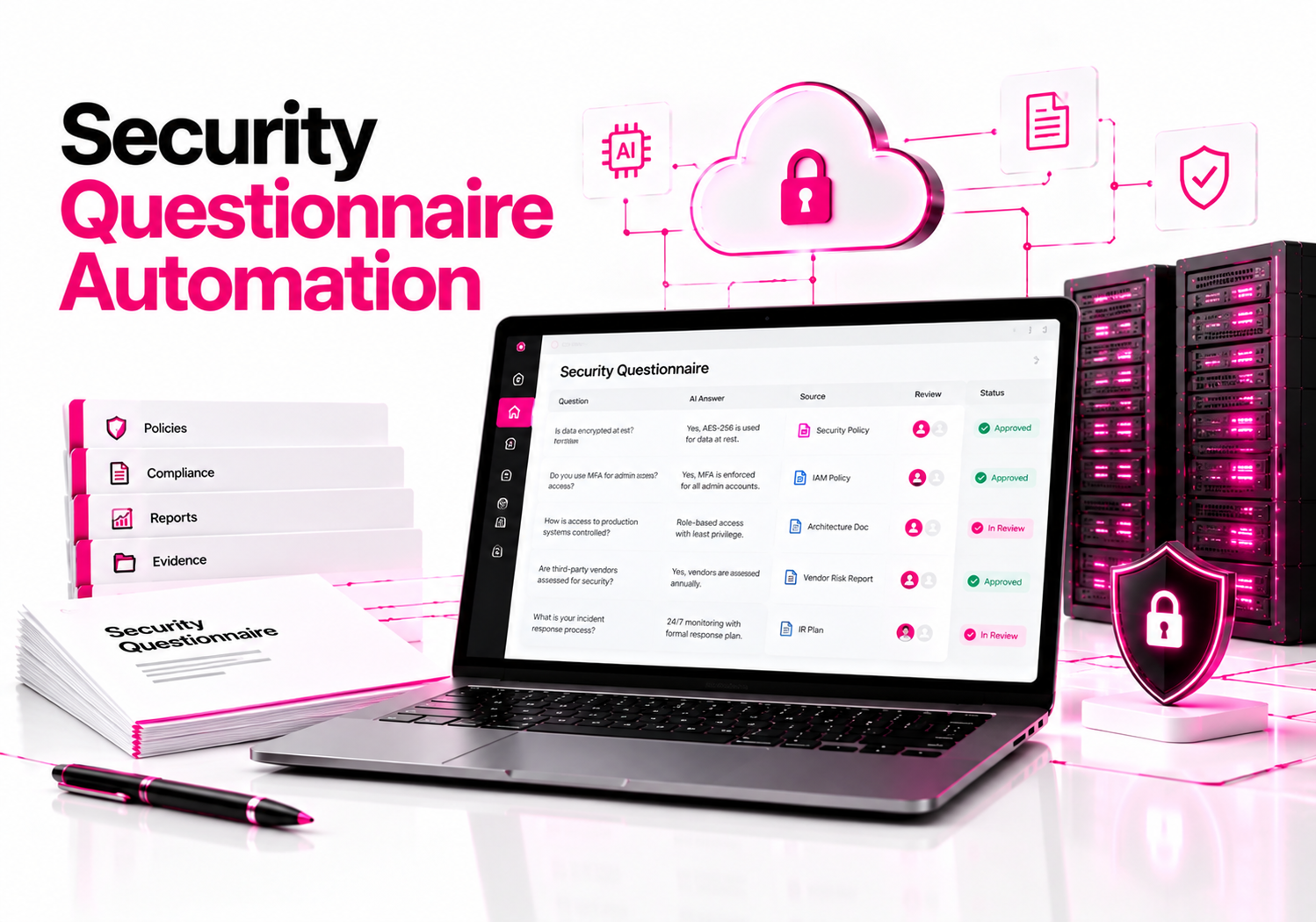
Modern automation software can turn that process into a controlled knowledge workflow. The best platforms retrieve approved answers from security documentation, generate responses with AI, show supporting sources, route uncertain questions to the right reviewer, and preserve approved answers for future assessments.
That last part matters most. A fast answer based on stale or invented information is worse than a slow answer.
For businesses evaluating the best business software for security questionnaire automation, the buying decision should therefore focus on source-backed answers, review controls, knowledge management, integrations, questionnaire formats, and workflow automation—not simply how quickly an AI can fill a spreadsheet.
What is the best business software for security questionnaire automation?
For dedicated questionnaire automation, Conveyor is my first platform to evaluate. It automates intake, answer generation, knowledge management, review, portal completion, and export, while grounding responses in an organization’s approved information.
Vanta is the better choice when questionnaire automation is part of a larger compliance and trust-management program. HyperComply stands out for combining AI automation with human review, while Loopio is particularly useful for organizations that need security questionnaires alongside broader RFP and proposal workflows.
| Software | Best fit | Main strength |
|---|---|---|
| Conveyor | Dedicated security questionnaire automation | End-to-end AI workflow |
| Vanta | GRC and compliance teams | Questionnaire + compliance knowledge |
| HyperComply | Security and sales teams | AI + human review |
| Loopio | Enterprise response teams | SQs + RFP management |
| Whistic | Trust and TPRM teams | AI responses + Trust Center |
The distinction between these products is important. A business that receives hundreds of customer security reviews has a different problem from a company that occasionally receives questionnaires but already runs its compliance program through Vanta.
Why is Conveyor a strong choice for security questionnaire automation?
Conveyor is particularly strong when questionnaire automation itself is the primary requirement. Its platform is designed to handle the workflow from questionnaire intake through AI-generated, cited answers, review, formatting, portal completion, and export.
Its knowledge library can incorporate company documents, wikis, external drives, support content, and previous questionnaires. The platform then uses that information to generate answers rather than relying on an unrestricted chatbot to invent a response.
That architecture is exactly what I would want to see in a security questionnaire system.
A question such as “Do you encrypt customer data at rest?” should not receive an answer simply because an LLM thinks most SaaS companies use encryption. The system should locate the organization’s approved security documentation and produce a response based on that evidence.
Conveyor also provides confidence scoring and source references so reviewers can focus attention on exceptions instead of manually checking every answer.
Choose Conveyor when: questionnaire volume is high and you want the largest possible reduction in manual processing.
Trade-off: teams should still evaluate the quality of their existing security knowledge base. Automation becomes much less useful when the underlying policies, architecture documents, and approved answers are incomplete or outdated.
Is Vanta good for automating security questionnaires?
Yes. Vanta is one of the strongest options for organizations that want questionnaire automation connected directly to their broader compliance and trust program. Its Questionnaire Automation product can use previous questionnaires, security documents, policies, and other knowledge-base material to generate responses for review.
Vanta supports questionnaires arriving through spreadsheets, documents, and third-party portals. It also supports tagging by factors such as product, region, and industry, allowing organizations to tailor answers instead of using exactly the same response everywhere.
That can be valuable for a growing SaaS company with multiple products.
Vanta also reports an IDC finding that its questionnaire automation accelerated customer security reviews by 81%. That figure comes from an IDC-sponsored business-value study referenced by Vanta, so it should be treated as a vendor-sponsored research result rather than an independent benchmark across questionnaire platforms.
Choose Vanta when: your organization already uses Vanta for compliance and wants questionnaires, evidence, policies, and trust information connected.
Trade-off: if questionnaires are your only problem, a dedicated platform may provide a more focused workflow.
How does HyperComply compare for security questionnaire automation?
HyperComply is particularly useful when businesses want AI automation without removing human security expertise from the process. Its platform combines AI-generated responses, a centralized knowledge base, integrations, questionnaire imports, and expert review.
It can handle questionnaires from files and web portals, while integrations with systems such as Vanta and Drata can help keep security information synchronized.
The human-review component is a meaningful differentiator.
Security questionnaires sometimes contain questions that cannot be answered safely from generic documentation. A customer might ask whether a specific product stores data in a particular region, whether a particular subprocessor handles customer information, or whether a particular control applies to one product but not another.
Those questions deserve expert review.
HyperComply’s approach is therefore useful for organizations that want automation but still want a security specialist involved in the response process.
Choose HyperComply when: you want AI-assisted questionnaire completion combined with human validation and secure customer-facing information sharing.
Trade-off: businesses should determine whether they need a dedicated questionnaire platform or a broader GRC/TPRM system before purchasing.
Is Loopio good for security questionnaires?
Loopio is a strong option for organizations that treat security questionnaires as part of a broader response-management operation. Its security questionnaire product uses an answer library and AI to handle recurring technical questions, while supporting common assessment formats such as SIG, CAIQ, and HECVAT.
The platform also provides SmartScan for converting questionnaires from PDFs, Excel files, and portals into structured projects.
That makes Loopio particularly interesting for larger sales, security, proposal, and response teams that do more than answer security questionnaires.
Its answer library is also designed around vetted organizational content. Teams can centralize security artifacts, compliance statements, and previous answers, then use review cycles to prevent technical information from becoming stale.
Choose Loopio when: security questionnaires are part of a wider RFP, proposal, or response-management process.
Trade-off: a smaller security team looking only for security-questionnaire automation may find a dedicated product more focused.
Where does Whistic fit?
Whistic is worth considering when customer trust and third-party risk management are closely connected to questionnaire response. Its Smart Response capability uses documents, previous questionnaires, and certifications in the organization’s Knowledge Base to generate questionnaire answers. Responses can include citations, confidence scores, and rationale.
Whistic also provides a Trust Center where approved security information can be published and shared with customers. That creates another way to reduce repetitive questionnaires: give customers controlled access to information they would otherwise request manually.
For businesses operating both sides of the security-assessment process, Whistic becomes particularly interesting.
The same platform can support customer-facing security information while also helping organizations conduct vendor assessments and manage third-party risk.
Choose Whistic when: Trust Center, customer security reviews, and TPRM are part of the same operational program.
Trade-off: businesses seeking only spreadsheet and portal questionnaire automation should compare its broader capabilities against more specialized platforms.
What should security questionnaire automation software actually automate?
Good software should automate the repetitive work while keeping security decisions under organizational control.
At minimum, look for six capabilities:
1. Questionnaire intake
The platform should accept common formats such as XLSX, DOCX, PDF, and web-based questionnaires.
Portal support is particularly valuable because manually transferring hundreds of questions from a customer portal into another system defeats much of the purpose of automation.
2. Knowledge-base retrieval
The system should use approved company information rather than generic AI knowledge.
Useful sources include:
- Previous approved questionnaires
- Security policies
- SOC reports
- ISO documentation
- Penetration-test summaries
- Architecture documentation
- Encryption standards
- Data-retention policies
- Subprocessor lists
- Incident-response documentation
- Privacy documentation
3. Source-backed answers
Every generated answer should ideally show where it came from.
This is one of the most important features to test during a demo.
Ask the vendor:
“Can I see the exact source document that supports this answer?”
If the answer is simply generated by an LLM without traceable evidence, that creates unnecessary review risk.
4. Human approval
Automation should reduce review time, not eliminate accountability.
A useful system should distinguish between high-confidence answers and questions that require a security, legal, privacy, or engineering expert.
5. Knowledge maintenance
Approved answers can become dangerous when they become stale.
Your encryption architecture may change. A subprocessor may change. Data residency may change. A retention period may change.
The questionnaire platform should make it easy to identify outdated content and maintain a current source of truth.
6. Workflow and ownership
The system should allow individual questions to be assigned to the right people.
For example:
Security: encryption and access control
Privacy: data retention and personal information
Legal: contractual obligations
Engineering: architecture and technical implementation
HR: employee security training
This prevents a single security employee from becoming the bottleneck for every question.
How do you safely automate security questionnaire answers?
The safest workflow is retrieve approved evidence → generate a draft → verify the source → review exceptions → approve → export.
Do not let an AI system independently decide what your company does.
Step 1: Build the knowledge base
Start by importing previously approved questionnaires and authoritative security documents.
Do not dump every old document into the system without review. Old questionnaire answers can contain outdated product names, obsolete controls, former subprocessors, or commitments your organization no longer makes.
Step 2: Organize answers by context
A company with multiple products should not necessarily have one universal answer.
Tag information by:
- Product
- Region
- Customer type
- Environment
- Data classification
- Regulatory requirement
Vanta, for example, supports knowledge-base tagging for product, region, and industry context.
Step 3: Test known questions
Take 20–30 previously answered questions and see whether the platform reproduces the approved answers accurately.
Include straightforward and difficult questions.
Step 4: Add questions with no approved answer
This is the test many companies skip.
Ask questions for which the knowledge base contains no legitimate answer.
The software should identify uncertainty or request human review rather than confidently inventing a response.
Step 5: Check citations
For every AI-generated answer, verify the supporting source.
The answer and source need to agree in both scope and date.
Step 6: Establish approval rules
A practical policy is:
High-confidence + exact source → quick review
Partial match → subject-matter review
No reliable source → manual answer
Legal/privacy commitment → mandatory specialist approval
Step 7: Store approved answers
Once an answer has been reviewed and approved, store it in the controlled knowledge base.
The next questionnaire should become easier because the organization has created reusable institutional knowledge.
What makes AI security questionnaire automation trustworthy?
The key is retrieval and governance, not the underlying language model alone.
NIST’s AI Risk Management Framework organizes AI risk management around Govern, Map, Measure, and Manage. It emphasizes governance, documented roles, monitoring, measurement, and ongoing risk management throughout the AI lifecycle.
Those principles translate well to questionnaire automation.
A business should govern who can approve answers, map answers to authoritative sources, measure accuracy and review quality, and manage stale or incorrect responses.
The same principle applies to AI-generated security answers: the model should accelerate the process, while the organization retains control over the truth.
NIST’s Generative AI Profile also provides additional guidance for organizations assessing risks associated with generative AI systems.
What should you ask vendors before buying?
A product demo should include your real workflow rather than a polished sample spreadsheet.
Ask vendors these questions:
| Question | Why it matters | What to look for |
|---|---|---|
| Where does each answer come from? | Prevents unsupported AI output | Citations and source traceability |
| What happens when there is no answer? | Tests hallucination controls | Escalation or uncertainty |
| Can stale answers be detected? | Security information changes | Expiration/review workflows |
| Can reviewers approve individual answers? | Maintains accountability | Granular workflows |
| Can it handle portals? | Many questionnaires are web-based | Browser/portal automation |
| Can it preserve the original format? | Reduces submission work | XLSX/DOCX/PDF export |
| Can it integrate with our GRC tools? | Keeps security data synchronized | Vanta, Drata, Slack, CRM, etc. |
One particularly useful test is to intentionally provide the system with conflicting documents.
For example, upload one policy saying customer data is retained for 30 days and another outdated document saying 90 days.
Then ask the system the retention question.
A mature workflow should surface the conflict rather than silently choose whichever sentence looks most relevant.
How much time can questionnaire automation save?
The potential savings can be substantial, but vendor-reported figures should not be treated as universal benchmarks.
Vanta cites an IDC-sponsored study reporting an 81% acceleration in customer security reviews. Conveyor publishes customer-reported results such as 91% less time per review and 95% AI accuracy, while HyperComply publishes its own accuracy and turnaround figures. These are vendor-reported or vendor-sponsored results, not independent apples-to-apples tests across all products.
Your actual savings will depend heavily on questionnaire volume, the quality of your knowledge base, how many questions require specialists, and whether customers use portals that require browser automation.
That is why a proof of concept using your own historical questionnaires is more useful than accepting a marketing percentage.
Which business software should you choose?
For a business whose primary problem is repetitive security questionnaires, start with Conveyor.
For a company already using a mature compliance platform, Vanta deserves the first evaluation because questionnaire automation can sit directly alongside the broader GRC and trust workflow.
For teams wanting AI plus human security review, evaluate HyperComply.
For organizations combining questionnaires with broader RFP and proposal response management, Loopio is a strong fit.
For companies that need Trust Center and third-party risk capabilities alongside questionnaire response, evaluate Whistic.
The most important buying criterion is not the highest claimed AI accuracy. It is whether the system can consistently produce an answer that your security team can defend.
FAQ: Security Questionnaire Automation
What is the best software for automating security questionnaires?
Conveyor is a strong dedicated choice because it automates questionnaire intake, AI-generated answers, knowledge management, review, portal workflows, and export. Vanta is better suited to organizations that want questionnaire automation connected to compliance and trust management. HyperComply, Loopio, and Whistic serve more specialized workflow needs.
Can AI safely answer security questionnaires?
Yes, when AI responses are grounded in approved organizational information and reviewed before submission. The safest systems provide citations, confidence indicators, knowledge-base controls, and escalation workflows. AI should draft answers from authoritative sources rather than independently guessing what a company’s security practices are.
What should a security questionnaire automation tool include?
Look for questionnaire import, AI-assisted answering, an approved knowledge base, source citations, human review, answer ownership, stale-content detection, workflow management, portal support, and integrations. The platform should also preserve approved answers so each completed questionnaire improves the organization’s future response process.
Is Vanta or Conveyor better for security questionnaires?
Conveyor is more focused on automating the questionnaire workflow itself, including intake, answering, portal completion, and export. Vanta is particularly attractive when questionnaire automation needs to operate alongside compliance, evidence, policies, and a broader trust program. The better fit depends on whether questionnaires or GRC is the central requirement.
How do security questionnaire tools prevent AI hallucinations?
They reduce hallucination risk by grounding generated responses in approved knowledge bases, previous questionnaires, security documentation, and other controlled sources. Some platforms also provide citations, confidence scores, human review, or escalation for uncertain answers. Organizations should still validate important responses before sending them to customers.
Can security questionnaires be completed automatically in portals?
Yes. Several current platforms support portal-based workflows. Conveyor provides browser-based questionnaire automation, while Vanta supports portal, spreadsheet, and document questionnaires. HyperComply also supports web portals alongside common file formats. Portal automation should still operate within appropriate access controls and review policies.
Final recommendation
The best business software for security questionnaire automation is the platform that removes repetitive work without weakening control over the answers.
For a dedicated automation project, I would evaluate Conveyor first, then compare it with Vanta if your organization already has a broader compliance program. Add HyperComply, Loopio, or Whistic to the evaluation when their specific workflow strengths match your business.
The next step is simple: take 20–30 real questionnaires your team has already completed, including several difficult questions and a few questions with deliberately missing evidence, and run the same test across your shortlisted platforms. Measure source accuracy, reviewer effort, unanswered-question handling, and export quality—not just how quickly the AI fills the cells.