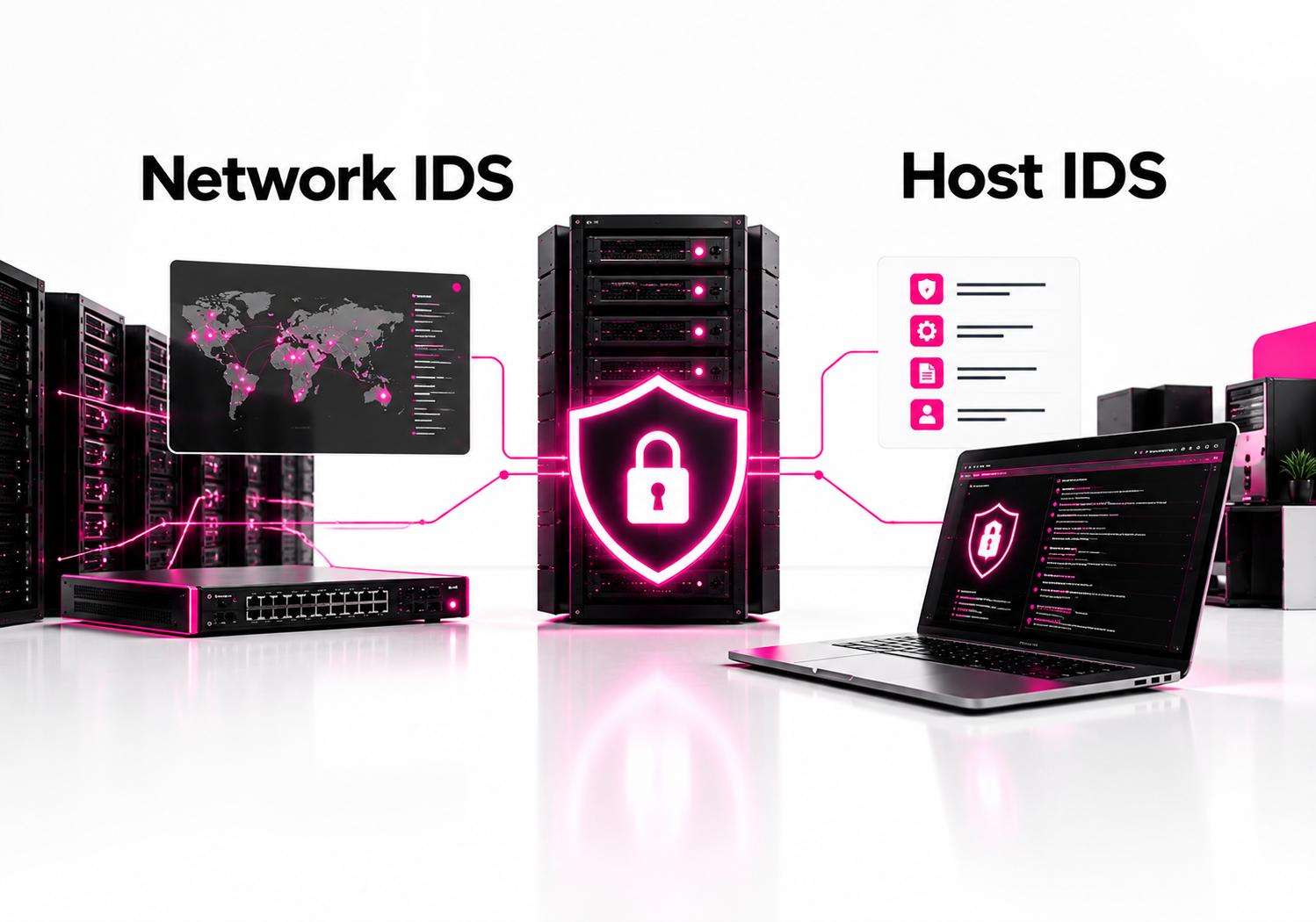
Network IDS (NIDS) monitors traffic moving across network segments, while host IDS (HIDS) monitors activity inside individual systems such as servers, workstations, and critical applications. Neither replaces the other: NIDS gives broad network visibility, while HIDS provides deeper host-level evidence. For most organizations, using both creates stronger detection coverage than choosing only one.
Intrusion detection systems are designed to identify suspicious activity and generate alerts for investigation. NIST SP 800-94 separates network-based and host-based IDPS technologies according to the events they monitor and where they are deployed.
The practical difference comes down to where the evidence exists. A network sensor can see suspicious connections, scans, protocol abuse, and lateral movement. A host agent can see things the network may never reveal, such as a new process, unauthorized file modification, persistence mechanism, or suspicious change to system configuration.
That makes the network IDS vs host IDS decision less about picking a winner and more about deciding which visibility your environment is missing.
What is a network IDS?
A network IDS monitors network traffic and analyzes packets, flows, and protocol activity for signs of malicious or abnormal behavior. NIST defines network-based IDPS as technology that monitors traffic for particular network segments or devices and analyzes network and application protocol activity to identify suspicious activity.
A typical NIDS sensor is positioned at a strategic point in the network. Depending on the architecture, it may inspect traffic entering an environment, crossing between network segments, or moving toward sensitive systems.
Common examples include Suricata, Snort, and commercial network detection platforms.
What can a network IDS detect?
A NIDS is particularly useful for threats that leave recognizable network evidence.
| Network activity | Why NIDS helps |
|---|---|
| Port scanning | Detects reconnaissance against multiple systems |
| Exploit attempts | Identifies suspicious protocol or payload patterns |
| Command-and-control traffic | Can identify known malicious communication patterns |
| Lateral movement | Reveals suspicious connections between internal hosts |
| DNS abuse | Can identify unusual or malicious DNS activity |
NIDS is also useful because one sensor can potentially monitor many systems without installing an agent on every endpoint.
That makes network monitoring attractive in environments where deploying software to every device is difficult, such as legacy infrastructure, unmanaged devices, network appliances, and some operational technology environments.
What is a host IDS?
A host IDS monitors activity on an individual computer or server. NIST describes HIDS as technology that monitors characteristics and events within a single host, including network traffic for that host, system logs, running processes, file access and modification, and system or application configuration changes.
A HIDS normally uses an agent installed directly on the protected system. That agent collects local security information and sends alerts or telemetry to a management platform when suspicious activity is detected.
Examples of host-focused security technologies include OSSEC, Wazuh, and endpoint detection and response platforms such as Microsoft Defender for Endpoint.
What can a host IDS detect?
HIDS becomes valuable when the important evidence exists inside the operating system rather than on the wire.
For example, imagine an attacker obtains valid credentials and logs into a Linux server through SSH. The network connection itself may look legitimate. A host agent can provide additional context by observing the login, shell activity, newly launched processes, modified files, persistence changes, and other local events.
This is the fundamental advantage of host-based detection: it can see what happened after traffic reached the machine.
Network IDS vs host IDS: What is the difference?
The biggest difference is the location and depth of visibility. NIDS observes network communications across a segment, while HIDS observes events occurring inside a specific host.
| Network IDS | Host IDS |
|---|---|
| Monitors network traffic | Monitors activity on a host |
| Broad coverage across network segments | Deep visibility into individual systems |
| Strong for scans, network exploits, and suspicious communications | Strong for processes, files, logs, and configuration changes |
| Usually deployed as network sensors | Usually deployed with host agents |
| Does not require an agent on every monitored device | Requires deployment and maintenance on protected hosts |
NIST treats network-based and host-based IDPS as complementary technologies rather than interchangeable solutions. Its guidance covers both architectures and emphasizes deployment, configuration, monitoring, and maintenance.
That distinction matters when designing detection coverage.
Which is better: NIDS or HIDS?
Neither is universally better. NIDS is better for broad network visibility, while HIDS is better for detailed investigation of activity occurring inside individual systems.
If you have limited resources and need to choose one, start with the security question you need to answer.
Choose NIDS when you primarily need to know:
- Which systems are communicating?
- Is someone scanning internal infrastructure?
- Are attackers moving between network segments?
- Are hosts communicating with suspicious destinations?
- Are exploit attempts reaching exposed services?
Choose HIDS when you need to know:
- Which process executed?
- What files changed?
- Did an attacker create persistence?
- Was a privileged account used locally?
- Did a configuration or security control change?
For a modern enterprise, however, treating this as an either/or decision can leave major blind spots.
Can a network IDS detect attacks that a host IDS misses?
Yes. A network IDS can detect suspicious communications and reconnaissance that may never trigger a useful host-level event.
Consider a simple example: an attacker scans 200 internal IP addresses looking for exposed services. A NIDS positioned where it can observe that traffic can identify the scanning pattern. A HIDS installed on one server may see only the connection attempts that reached that particular machine.
Network visibility is especially valuable for identifying activity between systems.
It can also provide evidence when an endpoint is unmanaged, compromised, unsupported, or unable to run a security agent.
There is a trade-off, though. Encrypted traffic can reduce the amount of application-level content a network sensor can inspect. Modern segmentation, cloud architectures, and east-west traffic can also make sensor placement more complicated than simply monitoring the internet gateway.
Can a host IDS detect attacks that a network IDS misses?
Yes. A HIDS can detect important local activity that produces little or no distinctive network evidence.
Suppose an attacker already has valid credentials. They connect to a server normally, authenticate successfully, and execute commands after login. The network traffic might not contain an obvious malicious signature.
The host can still reveal a suspicious process, unusual parent-child process relationship, modification of a sensitive configuration file, creation of a new account, or unexpected persistence mechanism.
This is why host telemetry is so useful during incident response. It provides context about what actually happened on the machine, not simply what traffic crossed a network sensor.
What are the advantages and disadvantages of NIDS?
NIDS provides excellent network-wide visibility with relatively centralized deployment, but it cannot see everything happening inside an endpoint.
Advantages of NIDS
Broad visibility: One appropriately positioned sensor can observe traffic involving many devices.
No endpoint agent required: You can monitor devices where installing software is impossible or impractical.
Strong network context: NIDS can reveal scans, suspicious connections, protocol misuse, and lateral movement.
Useful for unmanaged devices: Network monitoring can provide visibility into devices outside centralized endpoint management.
Limitations of NIDS
Encrypted traffic reduces visibility: Without appropriate inspection or endpoint telemetry, the sensor may not see the contents of encrypted sessions.
Placement matters: A sensor cannot analyze traffic it cannot observe.
High traffic volumes create operational challenges: Large environments require careful sensor sizing, filtering, storage, and alert tuning.
Limited host context: A network alert may tell you that a connection occurred without explaining exactly which local process created it.
What are the advantages and disadvantages of HIDS?
HIDS gives deep visibility into protected systems, but deployment and maintenance become more difficult as the number of endpoints grows.
Advantages of HIDS
Detailed host evidence: File changes, processes, authentication events, logs, and configuration changes can provide strong investigative context.
Works with encrypted communications: Because detection occurs on the endpoint, the agent can observe activity after encryption has been terminated locally.
Useful for critical servers: HIDS can provide additional monitoring around systems containing sensitive applications or data.
Strong file-integrity visibility: Changes to important files can trigger alerts even when network traffic looks normal.
Limitations of HIDS
Agent management: Every protected system needs an agent or another mechanism for collecting host telemetry.
Resource consumption: Agents consume some CPU, memory, storage, and network bandwidth.
Coverage gaps: Systems that cannot run an agent remain outside host-level visibility.
Compromise risk: If an attacker gains deep control of a host, they may attempt to disable or interfere with local security tooling.
Should you use NIDS and HIDS together?
Yes. For organizations with meaningful security requirements, combining network and host telemetry is usually the stronger design.
CISA has specifically described IDS as a warning or audit capability rather than a single solution that provides complete security visibility. Its guidance notes that multiple methods can be needed to obtain more complete information about an event.
A practical architecture looks like this:
- Use NIDS at important network boundaries.
- Monitor traffic between sensitive network segments.
- Deploy HIDS or EDR on critical servers.
- Prioritize domain controllers, identity infrastructure, databases, internet-facing servers, and high-value application systems.
- Send both network and host alerts to a SIEM.
- Correlate events using hostname, IP address, user identity, process, and timestamp.
- Tune detection rules to reduce repetitive false positives.
- Regularly test whether important attack paths generate useful telemetry.
The correlation step is where the two technologies become much more valuable together.
A NIDS alert might show an unusual connection from one internal host to another. HIDS telemetry from the destination could then show that a suspicious process started immediately afterward. Together, those events tell a much stronger story than either alert alone.
Where should you deploy a network IDS?
Start with locations where traffic provides meaningful security visibility rather than trying to monitor every packet indiscriminately.
Good candidates include:
- Internet-facing network boundaries
- Data-center segments
- Server VLANs
- Critical application zones
- High-value database networks
- Internal segmentation boundaries
- OT or ICS network boundaries where appropriate
- Cloud network inspection points supported by the architecture
The exact placement depends on routing, encryption, segmentation, cloud topology, and traffic volume.
A common mistake is putting a sensor at one perimeter location and assuming it can see all internal activity. Modern networks often require multiple monitoring points.
Which systems should have a host IDS?
Prioritize systems where compromise would have a significant business or security impact.
Start with:
- Domain controllers and identity servers
- Authentication infrastructure
- Internet-facing servers
- Database servers
- Critical application servers
- Administrative workstations
- Security infrastructure
- Systems containing sensitive information
You do not necessarily need identical host monitoring on every device. Risk-based deployment can provide better coverage with less operational overhead.
For Linux environments, tools such as Wazuh and OSSEC can provide host monitoring capabilities. In Windows-heavy environments, endpoint security platforms can provide host telemetry alongside prevention and response capabilities.
How do you choose between network IDS and host IDS?
Use a simple coverage test: ask where the evidence for your most important threats will exist.
If your primary concern is reconnaissance, malicious network communication, exposed services, or lateral movement, prioritize NIDS.
If your primary concern is persistence, unauthorized process execution, file manipulation, account abuse, or system configuration changes, prioritize HIDS.
For most organizations, the practical answer is to deploy both selectively and send their telemetry into the same detection and response workflow.
A simple deployment checklist
For NIDS:
- Identify critical network segments.
- Map traffic paths between them.
- Determine where encrypted traffic limits inspection.
- Deploy sensors where they can actually observe relevant traffic.
- Tune signatures and behavioral detections.
- Forward high-value alerts to the SIEM.
For HIDS:
- Identify high-value hosts.
- Deploy and secure agents.
- Monitor authentication, processes, files, and configuration changes.
- Protect the management channel.
- Tune noisy rules.
- Forward host events to centralized analysis.
For both:
- Establish baseline traffic and host behavior.
- Correlate alerts.
- Test detection coverage.
- Document response procedures.
- Review false positives and missed detections regularly.
Is NIDS or HIDS better for cloud environments?
Cloud environments generally benefit from combining network telemetry with host and workload telemetry. Traditional perimeter-based NIDS alone can miss activity because cloud workloads communicate through distributed networks, managed services, APIs, and encrypted connections.
For cloud workloads, combine available network-flow or packet inspection capabilities with cloud-native logging and endpoint/workload telemetry. The right architecture depends on whether you are monitoring virtual machines, containers, managed services, serverless workloads, or a mixture of them.
Network IDS vs host IDS: Which should you deploy first?
If you can deploy only one, choose based on your highest-risk visibility gap. NIDS is usually the better starting point for broad network visibility; HIDS is usually the better starting point for protecting a small number of high-value servers.
For example, a small company with several critical Linux servers may gain more from strong host monitoring on those machines than from an expensive network sensor with limited visibility.
A larger enterprise with complex internal segmentation may benefit substantially from network detection first, then add host telemetry to its most important systems.
The strongest long-term architecture is not NIDS versus HIDS. It is NIDS plus HIDS, correlated through centralized detection and response.
Frequently Asked Questions
What is the main difference between NIDS and HIDS?
NIDS monitors network traffic across network segments, while HIDS monitors events occurring inside individual systems. NIDS provides broader visibility into communications, scanning, and network attacks. HIDS provides deeper visibility into processes, files, authentication, logs, and configuration changes on protected hosts.
Which is better, network IDS or host IDS?
Neither is universally better. Network IDS is stronger for broad network visibility and detecting suspicious communications, while host IDS is stronger for identifying activity occurring inside individual systems. For organizations with important security requirements, combining both provides more complete detection coverage.
Can HIDS detect malware?
Yes. HIDS can detect indicators associated with malware, including suspicious processes, file changes, persistence mechanisms, unusual system activity, and other host-level behaviors. However, traditional HIDS should not automatically be treated as a full modern EDR platform. Detection depth depends heavily on the product and telemetry it collects.
Can NIDS detect encrypted attacks?
NIDS can detect some attacks involving encrypted traffic using metadata, traffic patterns, connection behavior, endpoint cooperation, or inspection where decryption is available. However, encryption can prevent a network sensor from examining application-layer content directly. Endpoint telemetry is therefore an important complement.
Do I need both NIDS and HIDS?
Most organizations with mature security monitoring benefit from both. NIDS can reveal what systems are communicating and expose network-level attack patterns, while HIDS can show what happened inside the affected machine. Correlating both sources can significantly improve investigation and detection context.
Is a firewall the same as an IDS?
No. A firewall primarily enforces network access-control policies, while an IDS analyzes activity for signs of suspicious or malicious behavior and generates alerts. Some modern security platforms combine firewall, IDS, IPS, and other capabilities, but the underlying security functions remain different.
Related reading: osquery vs Wazuh. Browse all our cybersecurity comparisons.
Conclusion: Use both where the risk justifies it
The network IDS vs host IDS debate has a simple practical answer: NIDS tells you what is happening across the network; HIDS tells you what is happening inside the machine.
If you are building detection coverage, do not start by asking which technology is superior. Start by mapping your critical attack paths and identifying where the evidence would appear.
Next step: inventory your three highest-value systems and the network segments connecting them, then determine whether your current monitoring can see both the traffic and the activity occurring on those hosts.