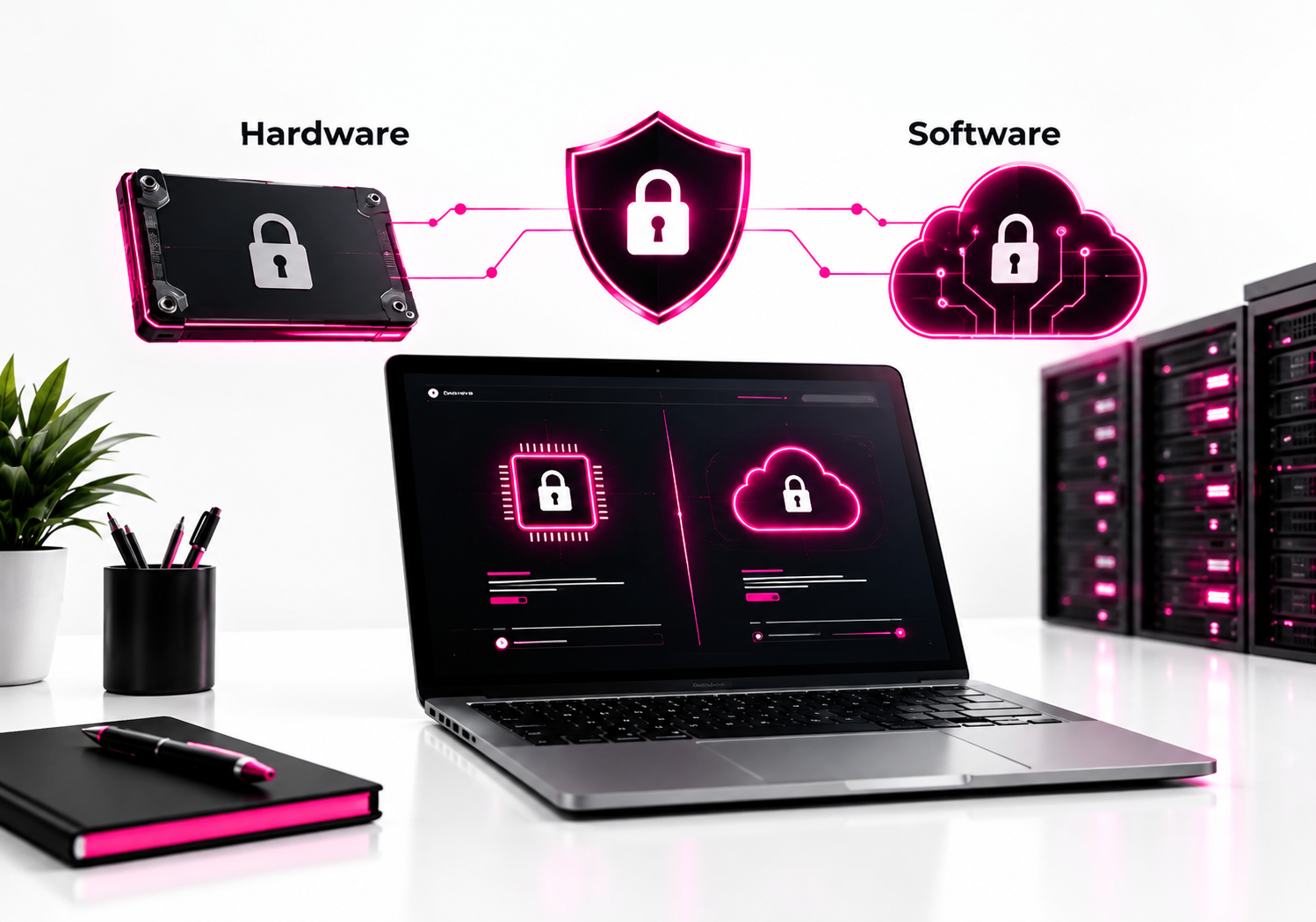
Hardware encryption performs cryptographic operations in dedicated hardware such as self-encrypting drives, secure elements, or hardware security modules, while software encryption performs them through software running on a CPU. Hardware can improve key protection and reduce CPU overhead, but it is not automatically more secure. For most systems, strong algorithms, sound key management, and trusted implementations matter more than where encryption runs.
The distinction is also less absolute than it sounds. Modern devices often combine both approaches: a software encryption system may use a TPM or Secure Enclave to protect keys, while a hardware-encrypted SSD may be managed through software such as BitLocker.
OWASP explicitly lists hardware-level encryption, filesystem encryption, database encryption, and application-level encryption as different layers that can be used according to the threat model. It also warns that hardware-level encryption can protect against physical theft but does not protect data if an attacker compromises the running system remotely.
So the right question is not simply “hardware or software?” It is “which encryption layer protects this data against the threat I actually care about?”
What is hardware encryption?
Hardware encryption uses dedicated hardware to perform encryption or protect cryptographic keys instead of relying entirely on general-purpose software running on the main CPU. Common examples include self-encrypting drives (SEDs), hardware security modules (HSMs), TPMs, secure elements, and dedicated cryptographic engines.
A self-encrypting SSD can encrypt data as it is written to the drive. The drive controller handles the cryptographic operation, while the encryption key remains within the device.
NIST defines a self-encrypting device as a storage device with always-on encryption that substantially reduces the likelihood of unencrypted data being unintentionally retained on the device.
Hardware encryption can also refer to a dedicated cryptographic processor rather than an entire encrypted drive. Apple, for example, describes dedicated AES engines and the Secure Enclave as hardware components that support data-at-rest encryption and key protection.
Common examples of hardware encryption
- Self-encrypting SSDs and hard drives
- Hardware security modules
- TPM-based key protection
- Secure elements
- Dedicated AES engines
- Cryptographic accelerator hardware
- Hardware-backed device encryption
These technologies do not all provide the same security properties. An HSM designed to protect enterprise cryptographic keys is very different from an encrypted consumer SSD.
What is software encryption?
Software encryption uses cryptographic algorithms implemented in software to transform plaintext into ciphertext and back again. The operation is normally performed by the device’s CPU, although modern processors can provide hardware instructions that accelerate the software implementation.
Examples include:
- BitLocker software-based encryption
- FileVault
- LUKS/dm-crypt
- Application-level AES encryption
- Database encryption
- TLS encryption
- Encrypted backups
- Cryptographic libraries such as OpenSSL
Software encryption is extremely flexible because administrators can select algorithms, encryption modes, key-management systems, and policies without requiring specialized storage hardware.
OWASP recommends using established cryptographic algorithms and secure modes, with AES using at least a 128-bit key and preferably 256 bits for symmetric encryption. It also emphasizes secure random number generation and formal key-management processes.
Hardware encryption vs software encryption: what is the difference?
The primary difference is where the cryptographic operation and key-protection boundary are implemented. Hardware encryption moves some or all of that responsibility into dedicated hardware, while software encryption relies primarily on software and the host operating environment.
| Factor | Hardware encryption | Software encryption |
|---|---|---|
| Main processing | Dedicated hardware | CPU/software |
| Key protection | Can remain inside hardware | Often managed by OS/application |
| CPU overhead | Usually low | Can consume CPU resources |
| Flexibility | Hardware-dependent | Highly configurable |
| Deployment | Requires compatible hardware | Usually easier |
| Physical theft protection | Strong when correctly implemented | Strong when correctly configured |
The table simplifies a complicated subject. Modern systems frequently combine these approaches.
For example, BitLocker can use software-based encryption while relying on a TPM to protect keys and help verify system integrity during startup. Microsoft describes TPM, Secure Boot, and measured boot as hardware-supported protections for BitLocker.
Is hardware encryption more secure than software encryption?
Not automatically. Hardware encryption can provide stronger key isolation and a smaller exposure to the host operating system, but poorly designed or poorly implemented hardware can still introduce serious security weaknesses.
This is where the threat model matters.
Suppose your threat is someone stealing a laptop and removing its SSD. Full-disk encryption with strong key protection is highly relevant.
Now consider a remote attacker who has compromised an already-running operating system. Hardware encryption on the SSD does not magically protect files that the authorized operating system is already able to decrypt and access.
OWASP makes this distinction directly: hardware-level encryption can protect against physical theft, but it does not protect against remote compromise of the server or system.
That is why “hardware = secure” is a poor security rule.
What are the main advantages of hardware encryption?
Hardware encryption is strongest when you need low-overhead encryption, hardware-backed key protection, or protection against offline physical access.
1. Lower CPU overhead
A self-encrypting drive can perform encryption inside the storage device instead of making the main processor perform all cryptographic work.
Microsoft describes encrypted hard drives as offloading cryptographic operations to hardware, which can reduce CPU usage and power consumption while allowing the drive to operate at its normal data rate.
2. Hardware-backed key protection
Dedicated security hardware can make it harder to extract keys through ordinary operating-system mechanisms.
NIST’s FIPS 140-3 standard defines security requirements for cryptographic modules, including physical security, software/firmware security, authentication, self-tests, and sensitive security-parameter management.
3. Strong protection for lost or stolen devices
Hardware-backed storage encryption is useful when the attacker has physical access to the storage device but does not have the legitimate authentication required to unlock it.
4. Transparent operation
A self-encrypting drive can encrypt and decrypt data automatically without applications having to implement encryption themselves.
What are the disadvantages of hardware encryption?
Hardware encryption introduces dependencies on the hardware manufacturer, firmware, implementation quality, and management mechanisms. It is also not necessarily the right layer for application-level or database security.
Potential limitations include:
- Hardware compatibility requirements
- Firmware vulnerabilities
- Vendor-specific implementation
- More complicated validation
- Limited algorithm choices on some devices
- Hardware replacement considerations
- Difficulty inspecting proprietary implementations
- Security problems if authentication or key-management design is weak
The encryption algorithm itself is only one component of the security model.
NIST describes a cryptographic module as hardware, software, and/or firmware implementing approved security functions within a defined cryptographic boundary. That definition is useful because it shows why “hardware” and “software” should not be treated as completely separate security worlds.
What are the main advantages of software encryption?
Software encryption wins on flexibility, portability, algorithm choice, and ease of deployment across different hardware.
An organization can deploy software encryption across laptops, virtual machines, databases, cloud workloads, and applications without requiring a specialized encryption controller in every system.
Software encryption also makes layered encryption practical.
For example:
Application
    ↓
Application-level encryption
    ↓
Database encryption
    ↓
Filesystem encryption
    ↓
Hardware-backed key protection
    ↓
Encrypted storage
A system does not necessarily have to choose only one layer.
OWASP recommends selecting the encryption layer according to the threat model and specifically lists application, database, filesystem, and hardware-level encryption as possible layers.
Is software encryption slower than hardware encryption?
It can be, but the difference is highly dependent on the CPU, cryptographic implementation, workload, and available hardware acceleration. Modern software encryption can be extremely fast because CPUs frequently include dedicated cryptographic instructions.
This is an important distinction from older “hardware is always faster” comparisons.
For example, AES implemented through a modern cryptographic library can use CPU acceleration. In that situation, the encryption is still logically performed by software even though the processor is providing specialized hardware instructions.
That means:
Software encryption does not necessarily mean “AES calculated entirely through ordinary CPU instructions.”
Similarly, hardware encryption does not automatically mean better real-world throughput.
If performance matters, benchmark the actual hardware, cryptographic library, workload, and storage configuration instead of relying on a generic hardware-versus-software claim.
How does BitLocker demonstrate the difference?
BitLocker is a useful example because Windows can use software-based encryption while also relying on hardware security features such as TPM, and it can also work with hardware-encrypted drives.
Microsoft documents a BitLocker policy for controlling hardware-based encryption. If the policy is not configured, Microsoft says BitLocker uses software-based encryption even when hardware-based encryption is available.
Microsoft also documents encrypted hard drives as self-encrypting devices where cryptographic operations are offloaded to the drive hardware.
This illustrates why the terms should not be treated as mutually exclusive:
BitLocker + TPM ≠ necessarily hardware encryption of the entire drive.
The TPM can protect key material and support platform-integrity checks while BitLocker performs the actual disk encryption through software.
Does a TPM count as hardware encryption?
A TPM is hardware security, but it is not simply the same thing as hardware disk encryption. A TPM is primarily a hardware security component that can protect keys, perform certain cryptographic operations, and participate in platform-integrity measurements.
Microsoft explains that BitLocker can bind encryption keys to the TPM so that the device can detect certain forms of tampering while offline.
This distinction matters:
- TPM: hardware-backed security and key protection
- Self-encrypting drive: storage-device encryption performed by drive hardware
- HSM: dedicated enterprise cryptographic key protection and operations
- CPU AES instructions: hardware acceleration for software cryptography
All involve hardware, but they solve different problems.
Which is better for protecting encryption keys?
Hardware-backed key protection is generally preferable when the threat model justifies it, especially for high-value keys. Dedicated HSMs and hardware-backed security components can provide stronger isolation than simply storing keys in application files or ordinary system storage.
OWASP recommends using secure key-storage mechanisms such as HSMs, cloud key-management services, and secure operating-system facilities where available. It also recommends separating encryption keys from the encrypted data and avoiding hard-coded keys.
For enterprise applications, a common architecture is envelope encryption:
Data
 ↓
Data Encryption Key (DEK)
 ↓
Encrypted data

Key Encryption Key (KEK)
 ↓
Protects the DEK
The KEK can be protected by an HSM or cloud KMS, while the application uses the DEK for data encryption.
This is often more useful than simply asking whether the database uses “hardware encryption.”
Which is better for laptops and full-disk encryption?
For laptops, software-managed full-disk encryption with hardware-backed key protection is usually the practical choice. Windows BitLocker with TPM is a strong example; Apple’s platform combines hardware security with software-managed data protection.
Microsoft recommends BitLocker with TPM for operating-system drives and explains that TPM provides additional protection for the encryption keys and startup process.
Apple similarly describes dedicated AES engines and the Secure Enclave as components supporting encryption and protection of key material for technologies such as FileVault and Data Protection.
The better design is therefore often layered hardware and software security, rather than choosing one exclusively.
Which is better for cloud applications?
Software encryption combined with managed key-management services is usually more practical for cloud applications than relying on physical encryption hardware.
Cloud platforms commonly provide managed services for encryption keys, secrets, databases, storage, and application-level cryptography.
OWASP specifically recommends using key-management systems such as Amazon KMS and Azure Key Vault where appropriate, while recognizing that centralized key management introduces its own administrative complexity.
For a cloud application, think about:
- Data-at-rest encryption
- TLS for data in transit
- Application-level encryption for especially sensitive fields
- KMS/HSM-backed key management
- Key rotation
- Access control
- Audit logging
- Backup encryption
- Separation of keys and encrypted data
A self-encrypting physical SSD is not the main security decision in this environment.
When should you choose hardware encryption?
Choose hardware encryption when hardware-backed isolation, physical-device protection, low CPU overhead, or specialized cryptographic processing is a meaningful security or performance requirement.
It is particularly useful for:
- Enterprise storage
- Self-encrypting drives
- HSMs
- High-value cryptographic keys
- Secure boot architectures
- Devices requiring hardware-backed key storage
- Systems with strict physical-access threats
For regulated environments, also verify the exact cryptographic module and validation status rather than assuming that a product labeled “hardware encrypted” satisfies a particular compliance requirement. NIST FIPS 140-3 defines requirements for validated cryptographic modules; the marketing phrase alone is not enough.
When should you choose software encryption?
Choose software encryption when you need flexible application, filesystem, database, or cloud encryption that can be deployed consistently across different hardware.
Software encryption is usually the better fit for:
- Application data
- Databases
- Cloud workloads
- Virtual machines
- Encrypted backups
- File-level protection
- Cross-platform applications
- TLS and network encryption
Use established libraries and modern authenticated encryption rather than implementing cryptography yourself.
OWASP recommends AES with a key of at least 128 bits and preferably 256 bits for symmetric encryption, along with secure modes and proper key management.
Hardware encryption vs software encryption: which should businesses use?
Most businesses should use a combination rather than choosing only one. Hardware-backed security can protect keys and storage, while software encryption can protect applications, filesystems, databases, backups, and network traffic.
A practical architecture might look like this:
| Business need | Recommended approach |
|---|---|
| Lost or stolen laptop | Full-disk encryption + TPM/Secure Enclave |
| Cloud database | Database encryption + KMS/HSM |
| High-value encryption keys | HSM or managed KMS |
| Application secrets | Dedicated secrets manager |
| Network traffic | TLS with modern cryptographic libraries |
| Sensitive application fields | Application-level encryption |
The strongest design is usually layered encryption with centralized key management, not an attempt to make every encryption operation happen in hardware.
How should you implement encryption securely?
Use this checklist before deploying either hardware or software encryption.
1. Define the threat model
Ask what you are protecting against:
- Lost device?
- Stolen storage?
- Remote compromise?
- Malicious administrator?
- Database breach?
- Cloud-account compromise?
- Insider access?
Your answer determines the appropriate encryption layer.
2. Choose a proven algorithm
Do not select encryption because a vendor advertises it as “military grade.”
Use established algorithms and secure modes supported by reputable libraries. OWASP recommends AES with at least 128-bit keys and preferably 256-bit keys for symmetric encryption.
3. Protect the keys
A strong encryption algorithm does little if an attacker can simply obtain its key.
Use:
- HSMs
- KMS
- TPMs
- Secure Enclave
- OS-protected key stores
- Dedicated secrets-management systems
OWASP recommends formal processes for key generation, storage, distribution, rotation, and destruction.
4. Separate keys from data
Do not store the encryption key next to the plaintext or in the same configuration file as the encrypted database.
Use envelope encryption when appropriate.
5. Plan key recovery
Ask what happens if:
- An employee loses their device
- An SSD fails
- A cloud KMS key becomes unavailable
- An administrator leaves
- A key is accidentally deleted
- A key is compromised
Encryption without a recovery plan can become a data-availability problem.
6. Test the configuration
Verify that:
- Encryption is actually enabled
- Recovery keys are accessible to authorized administrators
- Unauthorized users cannot decrypt the data
- Key rotation works
- Backups remain recoverable
- Encryption remains enabled after device replacement or reconfiguration
What are the biggest mistakes with hardware and software encryption?
The biggest mistake is treating encryption as a checkbox instead of a complete key-management and access-control system.
Avoid these common errors:
- Assuming hardware encryption automatically means stronger security
- Using outdated cryptographic algorithms
- Hard-coding encryption keys
- Storing keys beside encrypted data
- Forgetting backup encryption
- Ignoring key rotation
- Assuming full-disk encryption protects a compromised running system
- Buying self-encrypting hardware without validating its security requirements
- Confusing TPM key protection with full hardware disk encryption
- Implementing custom cryptography
OWASP specifically recommends secure key storage, separation of keys and data, secure random generation, and documented key lifecycles.
Related reading
Frequently Asked Questions
Is hardware encryption safer than software encryption?
Not automatically. Hardware encryption can provide stronger key isolation and protection against some physical attacks, while software encryption offers flexibility and can use hardware acceleration. Security depends on the algorithm, implementation, key management, hardware design, and threat model. A well-designed software encryption system can be more appropriate than poorly implemented hardware encryption.
Is software encryption slower than hardware encryption?
It can be, but modern CPUs often include cryptographic acceleration that makes software encryption very fast. The actual performance difference depends on the processor, storage device, algorithm, implementation, and workload. Microsoft notes that hardware-encrypted drives can reduce CPU usage, but performance should be measured on the systems that matter to your organization.
Does hardware encryption protect against hackers?
Hardware encryption can protect stored data against certain physical-access attacks, such as someone removing a drive from a stolen computer. It does not automatically protect data that an attacker can access through a compromised running operating system. Hardware encryption should therefore complement endpoint, identity, application, and network security rather than replace them.
Is BitLocker hardware or software encryption?
BitLocker can use software-based or hardware-based drive encryption depending on the configuration and supported hardware. BitLocker can also use a TPM to protect encryption keys and verify platform integrity. Microsoft documents separate policies controlling hardware-based encryption, so having a TPM does not mean the entire disk is automatically encrypted by hardware.
Which is better for SSDs, hardware or software encryption?
Software-managed encryption with strong hardware-backed key protection is often the safer default when you need centralized policy and predictable management. Self-encrypting SSDs can provide excellent performance and hardware-level protection, but organizations should validate the drive’s implementation, firmware, cryptographic capabilities, and compliance requirements before relying on it.
Should businesses use both hardware and software encryption?
Yes, in many environments. Layered protection is often the strongest approach: full-disk encryption protects lost devices, hardware-backed components protect keys, application encryption protects especially sensitive fields, and KMS or HSM infrastructure manages high-value keys. OWASP explicitly recognizes multiple encryption layers and recommends choosing them according to the threat model.
Related reading: symmetric vs asymmetric encryption. Browse all our cybersecurity comparisons.
Final Verdict: Hardware Encryption vs Software Encryption
Hardware encryption is not a replacement for software encryption, and software encryption is not inherently weaker. Hardware is especially valuable for key isolation, physical-device protection, dedicated cryptographic processing, and high-assurance environments. Software is more flexible and is usually the practical choice for applications, databases, cloud workloads, and filesystem encryption.
For most organizations, the best architecture is software-managed encryption supported by hardware-backed security where it provides a meaningful advantage.
The next step is to map your sensitive data, threats, encryption layers, and key-management system. Once you know what an attacker could realistically access, choosing between hardware and software encryption becomes much clearer.