AES-256-GCM is usually faster than ChaCha20-Poly1305 on modern CPUs with AES hardware acceleration, while ChaCha20-Poly1305 often wins on devices without dedicated AES instructions. The difference can be dramatic: RFC 8439 reports ChaCha20-Poly1305 at 75.3 MB/s versus AES-128-GCM at 24.1 MB/s on an OMAP 4460, while AES-128-GCM reached 900 MB/s versus 500 MB/s for ChaCha20-Poly1305 on a Sandy Bridge Xeon with AES-NI. [SOURCE: RFC 8439, June 2018]
That leads to a practical rule: use AES-256-GCM when hardware acceleration is available and compatibility or ecosystem support matters; choose ChaCha20-Poly1305 when predictable software performance, especially on mobile or low-power CPUs, is more important. Both provide authenticated encryption, but their performance profiles are very different.
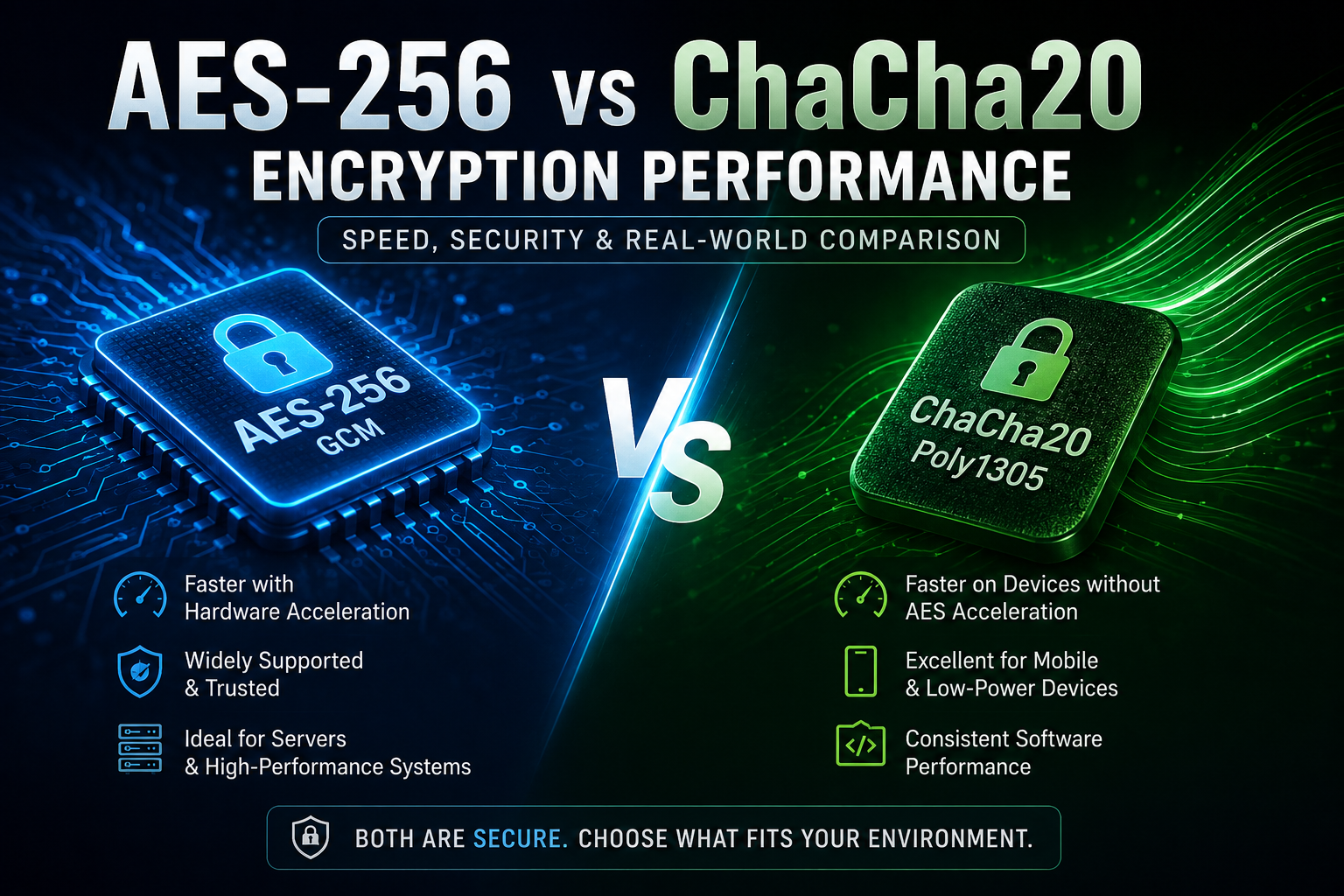
[IMAGE: Side-by-side infographic comparing AES-256-GCM and ChaCha20-Poly1305, showing CPU hardware acceleration, software performance, security, and typical use cases]
Is AES-256 faster than ChaCha20?
It depends on the processor. AES-256-GCM generally has the performance advantage on CPUs with AES acceleration, while ChaCha20-Poly1305 can be substantially faster when AES hardware acceleration is unavailable.
AES is a block cipher standardized by NIST. AES-256 uses a 256-bit key and operates on 128-bit blocks. AES itself does not provide authentication; in modern applications, it is commonly paired with GCM to create an authenticated-encryption construction. [SOURCE: NIST FIPS 197, updated May 2023]
ChaCha20 takes a different approach. It is a 256-bit stream cipher designed around simple operations such as addition, XOR and rotation. ChaCha20-Poly1305 combines the cipher with Poly1305 authentication to provide AEAD. [SOURCE: RFC 8439, June 2018]
That distinction matters because encryption performance isn’t determined only by the mathematical cipher. CPU instructions, implementation quality, message size, memory bandwidth and authentication overhead all affect the final result.
Why does hardware acceleration change the AES vs ChaCha20 performance result?
AES benefits enormously from dedicated CPU instructions, especially AES-NI on x86 processors and equivalent acceleration on many ARM platforms. ChaCha20 does not depend on AES-specific hardware, so its software performance tends to be more consistent across different processors.
This is the biggest reason you will see conflicting benchmark results online.
On a modern server CPU with hardware AES acceleration, AES-GCM can process enormous amounts of data with relatively little CPU overhead. The processor is effectively doing part of the cryptographic workload using specialized instructions rather than relying entirely on general-purpose operations.
Without that acceleration, AES can lose much of its advantage.
RFC 8439 makes the contrast very clear. Its benchmark recorded:
| Platform | AES-GCM | ChaCha20-Poly1305 |
|---|---|---|
| OMAP 4460 | 24.1 MB/s | 75.3 MB/s |
| Snapdragon S4 Pro | 41.5 MB/s | 130.9 MB/s |
| Sandy Bridge Xeon with AES-NI | 900 MB/s | 500 MB/s |
[SOURCE: RFC 8439, Appendix B, June 2018]
One caution: this is an older benchmark and should not be treated as a 2026 performance forecast. The value is in demonstrating the hardware-acceleration effect, not in predicting the exact throughput of current CPUs. [VERIFY]
Which is faster on phones and devices without AES acceleration?
ChaCha20-Poly1305 has historically been an excellent choice on CPUs without dedicated AES acceleration because it was designed to perform efficiently using ordinary software instructions.
The RFC 8439 measurements show the difference particularly well on older mobile processors. ChaCha20-Poly1305 was about three times faster than AES-128-GCM on the OMAP 4460 and Snapdragon S4 Pro test platforms. [SOURCE: RFC 8439, June 2018]
Modern smartphones are more complicated, though. Many current ARM processors include cryptographic acceleration, so you should not assume that ChaCha20 automatically wins on every phone.
If you’re developing a mobile application, benchmark the actual devices that matter to your users.
[IMAGE: Smartphone CPU diagram showing hardware AES acceleration versus software ChaCha20 processing]
Is AES-256-GCM more secure than ChaCha20-Poly1305?
Neither should be dismissed as insecure simply because the other performs better. AES-256-GCM and ChaCha20-Poly1305 are both established authenticated-encryption choices when implemented and configured correctly.
AES-256 is specified by NIST’s FIPS 197 standard. NIST defines AES-128, AES-192 and AES-256, with the number referring to the key length.
GCM adds authentication to encryption. NIST SP 800-38D specifies GCM as an authenticated-encryption mode for an underlying approved block cipher.
ChaCha20-Poly1305 uses a 256-bit ChaCha20 key and a Poly1305 authentication tag. RFC 8439 describes the combined construction as AEAD—Authenticated Encryption with Associated Data.
The real-world security question is therefore less about choosing a mythical “strongest” algorithm and more about using a modern authenticated mode correctly.
What is the difference between AES-256-GCM and ChaCha20-Poly1305?
AES-256-GCM is a block-cipher-based AEAD construction, while ChaCha20-Poly1305 combines a stream cipher with a separate authentication algorithm. Both encrypt data and authenticate it, but they achieve this differently.
AES-256-GCM uses AES-256 for encryption and GCM for authentication. NIST specifically identifies GCM as an authenticated-encryption mode.
ChaCha20-Poly1305 uses ChaCha20 to generate the encryption keystream and Poly1305 to authenticate the resulting data. RFC 8439 specifies a 256-bit key and 96-bit nonce for the AEAD construction.
For developers, the important point is simple: don’t deploy raw AES-256 or raw ChaCha20 when you actually need authenticated encryption. Use a well-tested AEAD API such as AES-GCM or ChaCha20-Poly1305.
How does AES-256-GCM performance compare with ChaCha20-Poly1305 in practice?
AES-256-GCM usually wins on accelerated server and desktop CPUs, while ChaCha20-Poly1305 is often the better software-only performer. But the exact winner depends on the implementation, CPU, operating system and workload.
A useful example comes from BoringSSL’s current source tree, which includes dedicated benchmarks for AES-256-GCM and ChaCha20-Poly1305 encryption and decryption paths. [SOURCE: Google BoringSSL, 2026]
That is a good reminder that serious crypto libraries benchmark both rather than assuming one algorithm is universally faster.
For your own application, benchmark:
- Small messages, such as API requests.
- Medium messages, such as JSON responses.
- Large streams, such as file transfers.
- Encryption and decryption separately.
- Your actual target CPUs.
- Single-threaded and concurrent workloads.
[IMAGE: Terminal screenshot concept showing an OpenSSL benchmark comparing AES-256-GCM and ChaCha20-Poly1305]
How can you benchmark AES-256-GCM vs ChaCha20-Poly1305?
Use the crypto library you will actually deploy and benchmark both algorithms on representative hardware. For OpenSSL-based systems, openssl speed is a useful starting point, but application-level benchmarks are more meaningful.
A simple workflow is:
- Check whether the CPU exposes AES acceleration.
- Use a current OpenSSL or BoringSSL build.
- Benchmark AES-256-GCM.
- Benchmark ChaCha20-Poly1305.
- Test several payload sizes.
- Repeat the test on your production-class hardware.
- Measure throughput and CPU utilization.
For example, on a Linux server you can inspect CPU capabilities with:
lscpu
Then use your installed OpenSSL version:
openssl version
For a library-level comparison, OpenSSL exposes both AES-GCM and ChaCha20-Poly1305 through its EVP interface. Its documentation identifies EVP_chacha20_poly1305() as the AEAD ChaCha20-Poly1305 implementation. [SOURCE: OpenSSL Documentation]
Do not publish a benchmark such as “AES is 2× faster” without specifying the CPU, library version, compiler/build options, payload size and test methodology.
Does AES-256 use more CPU than ChaCha20?
Without hardware acceleration, AES can require more general-purpose CPU work; with acceleration, AES-GCM can be extremely efficient. ChaCha20 tends to provide strong software performance without relying on specialized AES instructions.
This is why a cloud server and a small embedded device can produce completely different benchmark results.
On a server with AES acceleration, AES-256-GCM may be the obvious performance choice. On hardware where that acceleration is unavailable, ChaCha20-Poly1305 can deliver better throughput for the same general workload.
There is no useful universal “CPU cost” number. Measure it on the hardware you actually care about.
Which encryption should developers choose?
For most general-purpose server applications, I would start with AES-256-GCM when reliable AES hardware acceleration is available. For software-only environments or platforms where AES acceleration is uncertain, ChaCha20-Poly1305 is an excellent default.
My practical decision tree is:
Choose AES-256-GCM when:
- Your CPUs have AES acceleration.
- You need strong ecosystem and library support.
- You’re building high-throughput server infrastructure.
- Your compliance requirements favor AES.
- Your existing cryptographic stack already uses AES-GCM.
Choose ChaCha20-Poly1305 when:
- Hardware AES acceleration isn’t available.
- You want predictable software performance.
- You’re targeting a broad range of CPUs.
- Your protocol or library already supports it cleanly.
Both should be used through reputable cryptographic libraries rather than custom implementations.
What about AES-256 vs ChaCha20 for TLS?
Modern TLS implementations can support both AES-GCM and ChaCha20-Poly1305, with cipher selection influenced by the capabilities of the endpoint. Hardware acceleration can make AES-GCM preferable on one machine, while ChaCha20-Poly1305 can be more efficient on another.
This is one reason protocol implementations don’t need to make a single algorithm universally mandatory.
For example, BoringSSL includes benchmark paths for AES-256-GCM and ChaCha20-Poly1305, reflecting their practical use in modern cryptographic software.
The important lesson is not to select an algorithm based on a benchmark from a completely different machine.
AES-256 vs ChaCha20: performance comparison
| Factor | AES-256-GCM | ChaCha20-Poly1305 |
|---|---|---|
| Key size | 256-bit | 256-bit |
| Cipher type | Block cipher | Stream cipher |
| Authentication | GCM | Poly1305 |
| AEAD | Yes | Yes |
| Hardware acceleration | Strong advantage when available | Not dependent on AES hardware |
| Software-only performance | Can be weaker | Often excellent |
| Modern servers | Usually excellent | Excellent |
| Devices without AES acceleration | May lose performance | Often strong |
| Standardization | NIST FIPS 197 + GCM SP 800-38D | RFC 8439 |
| Best general use | Accelerated systems | Software-efficient systems |
[SOURCE: NIST FIPS 197; NIST SP 800-38D; RFC 8439]
What are the common AES-256 and ChaCha20 mistakes?
The biggest mistakes are using unauthenticated encryption, reusing nonces, implementing cryptography yourself, and selecting an algorithm based on an unrelated benchmark.
For AES-GCM, nonce management is critical. GCM security depends on correct IV/nonce handling, and applications should follow the requirements of the relevant cryptographic library and protocol.
ChaCha20-Poly1305 has a similar critical requirement: RFC 8439 states that the nonce must be unique for each invocation under the same key. Reusing a nonce can expose relationships between plaintexts and seriously compromise security. [SOURCE: RFC 8439, Section 4]
A practical checklist:
- Use an AEAD construction.
- Never invent your own encryption protocol.
- Never reuse a nonce with the same key.
- Use established cryptographic libraries.
- Keep libraries updated.
- Benchmark on real target hardware.
- Separate encryption performance from key-management performance.
- Don’t confuse encryption with password hashing.
Frequently Asked Questions
Is AES-256 faster than ChaCha20?
AES-256-GCM is generally faster when the processor provides AES hardware acceleration. ChaCha20-Poly1305 can be faster on CPUs without specialized AES instructions. RFC 8439’s benchmark showed ChaCha20-Poly1305 substantially ahead on two older mobile processors, while AES-GCM led on an AES-NI-equipped Xeon. [SOURCE: RFC 8439]
Is ChaCha20 faster than AES on mobile devices?
It can be, particularly on devices without AES hardware acceleration. RFC 8439 measured ChaCha20-Poly1305 at 75.3 MB/s versus 24.1 MB/s for AES-128-GCM on an OMAP 4460. Modern phones differ considerably, however, because many now include cryptographic acceleration. [SOURCE: RFC 8439] [VERIFY]
Which is more secure, AES-256 or ChaCha20?
AES-256 and ChaCha20 are both strong modern cryptographic primitives when used correctly. For applications requiring authenticated encryption, compare AES-256-GCM with ChaCha20-Poly1305 rather than the raw ciphers. Correct key and nonce management, authenticated encryption and trustworthy implementations matter more than declaring one universally “more secure.”
Should I use AES-256-GCM or ChaCha20-Poly1305?
Use AES-256-GCM when your target hardware has reliable AES acceleration and you want excellent throughput and broad ecosystem support. Choose ChaCha20-Poly1305 when you cannot depend on AES acceleration or want strong software performance across varied CPUs. When both are available, benchmark them on your actual workload.
Does ChaCha20 use a 256-bit key?
Yes. ChaCha20-Poly1305 uses a 256-bit key in the AEAD construction specified by RFC 8439. The construction also uses a 96-bit nonce and produces an authentication tag. [SOURCE: RFC 8439]
Is AES-256-GCM good for high-performance applications?
Yes. AES-GCM is specifically designed as a high-throughput authenticated-encryption mode, and hardware acceleration can make it exceptionally fast on modern CPUs. NIST specifies GCM in SP 800-38D, while current cryptographic libraries provide optimized AES-GCM implementations.
Final verdict: AES-256-GCM or ChaCha20-Poly1305?
If I had to choose one for a modern server with AES acceleration, I’d pick AES-256-GCM. If I were targeting unknown or hardware-constrained CPUs, I’d lean toward ChaCha20-Poly1305.
The key takeaway is that AES-256 is not inherently faster or slower than ChaCha20. Hardware changes the equation.
For a production system, don’t copy someone else’s MB/s figure. Run the same workload with the same library on your target hardware, verify nonce handling, and then choose the faster authenticated-encryption option that fits your security and compatibility requirements.
Next step: benchmark AES-256-GCM and ChaCha20-Poly1305 on your actual deployment hardware before making the final choice.